What is a Primavera P6 Schedule? – Primavera Schedules Explained
Commonly referred to as “Primavera schedules,” as the name suggests, a Primavera P6 schedule is a project plan created with Primavera P6, Oracle’s project portfolio management software. Teams use it most to plan and manage long-term, complex work, the kind typical of construction, oil and gas, energy, and infrastructure.
At its core, the schedule is a dynamic view of all the activities and their relationships laid out over a timeline. It shows what work has to happen, in what order, and when each piece has to finish.
A schedule is one of the most important deliverables on a project. It’s always built before the work starts, because it sets expectations for how long the project will run and gives a clear picture of the activities that will be required along the way.
Stop wrestling with Primavera XER schedules.
Your team can see your schedule without buying a P6 license.
Start Free Trial No credit card · Windows & Mac · From $344/yr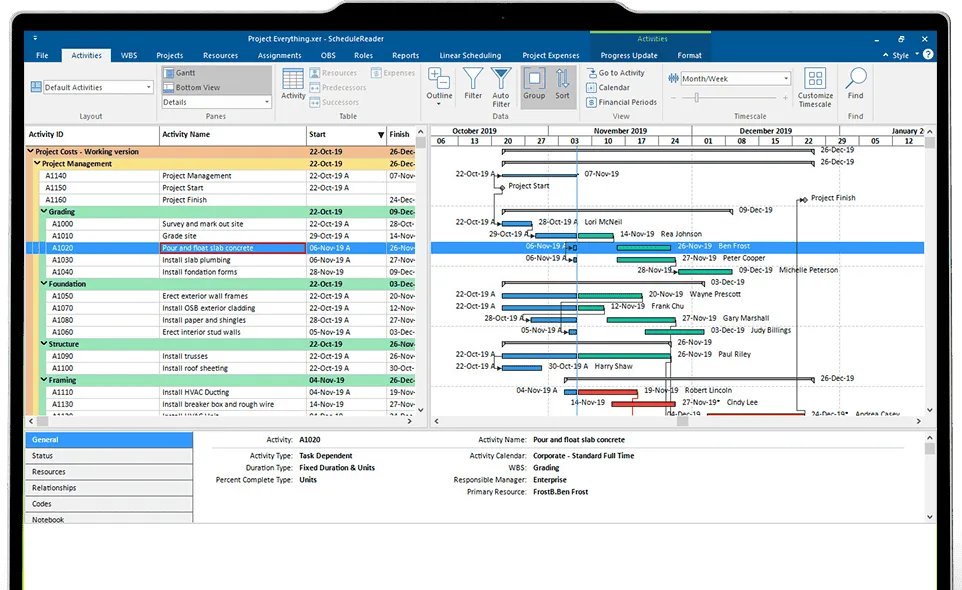
Let’s walk through the main elements that make up a Primavera P6 schedule.
Primavera P6 Schedule Elements
Work Breakdown Structure (WBS)
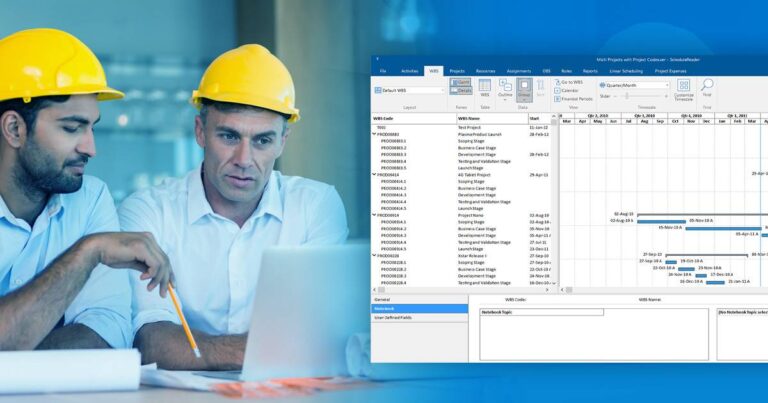
Before you set up the schedule itself, you develop the Work Breakdown Structure, the WBS. Think of it as the project’s skeleton: a hierarchical outline of the schedule and a summary of the stages of work to be delivered.
Many schedulers treat the WBS as the first deliverable of the project. It captures all the work needed to execute the project, without yet saying how or when each piece will be done. The WBS is not a schedule; it’s the structure the schedule hangs on, and breaking the work into small, manageable pieces makes the whole project far easier to plan and control.
Different scheduling tools set the WBS up in different orders, but in Primavera P6 the WBS comes first, and the scheduler builds the activities out of it in summary layers. A complete WBS holds a few top layers that summarize the major stages of the project, and each of those is split into “child” layers representing the smaller pieces underneath.
To finish the schedule, Primavera P6 then combines the WBS with a few more elements.
Primavera P6 Calendars
Calendars let you define the days and hours your team can actually work. You can mark public holidays, set work and non-work days for an individual project, and create as many calendars as you need to match different schedules.
Calendars in P6 can be assigned to each resource and activity, which keeps time limits consistent across the schedule. A resource might be unavailable on its own calendar, or a resource might be free while the activity’s calendar doesn’t allow work that day. P6 uses your calendars to balance resources, schedule events, and track activity.
Primavera P6 offers three types of calendars: Global, Project, and Resource.
- Global Calendars can be assigned to any activity, project, or resource in the database.
- Project Calendars apply to a single project and its activities. They can’t be assigned to a resource. If a project calendar is linked to a global calendar, changes made in the global calendar flow down to the project calendar, but never the other way around.
- Resource Calendars matter when the availability of resources, such as materials, equipment, and personnel, is critical to the work.
You can read more here: Primavera P6 Calendars – Global vs Project Data
Activities
Next up are the activities. These are the schedule’s building blocks, chunks of work you’ll assign resources to later. Every activity has a Predecessor and a Successor.
The Predecessor is the activity that controls the start date of the activities that follow it. The Successor is the one controlled by its predecessor.
Primavera P6 also lets you create and assign Activity Codes to activities. These codes identify, categorize, and arrange activities to match your organization’s reporting needs, and they’re usually generated as the project kicks off. See how EPS activity codes convert to project codes.
Activity Relationships
Relationships connect the activities and set the order in which the work happens. Primavera P6 uses four types:
- Finish to Start (FS)
- Start to Start (SS)
- Finish to Finish (FF)
- Start to Finish (SF)
With FS, a successor can’t start until its predecessor has finished. SS means both activities start at the same time. FF means they finish at the same time. And SF means a successor finishes only after its predecessor has started.
Relationships can also be driving or non-driving. A driving relationship sets the start date of a successor activity; a non-driving one does not.
Milestones
Milestones are a special kind of element. They sit in the schedule with a fixed date but no duration, because they mark an exact moment in the project as it unfolds. Think of them as bookmarks on the timeline.
Milestones give stakeholders a snapshot of the project at key moments, and teams often use them to run budget reviews and to determine project status.
Resources
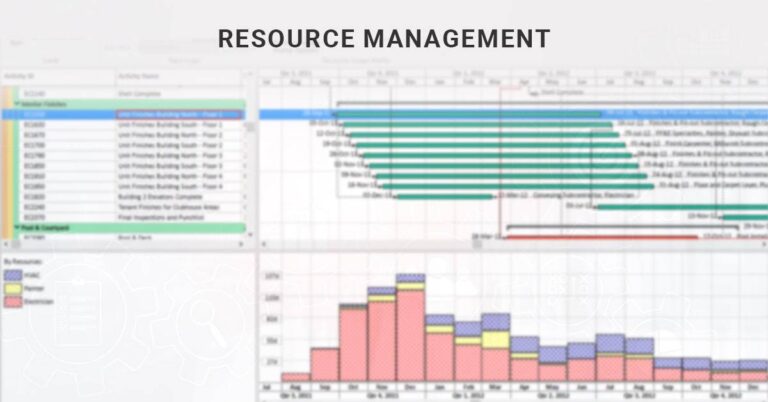
Once the activities and relationships are in place, the next step is assigning resources to each activity. Resources can be costs, materials, equipment, facilities, or people. You can explore resource management with Primavera P6.
Risks
Risks should be built into the schedule too, so the team can spot what could push the project off its objectives before it happens. Primavera P6 calculates a Risk Score for each risk, based on the data you import for it.
A schedule is only as good as its quality. Learn how professionals judge one with the DCMA 14-point assessment.
Schedule Baselines
Once the stakeholders approve the projected schedule, it becomes the schedule baseline, the plan you measure against.
The baseline is used to review performance. Delivered work is compared to the baselined schedule at a point in time or across a period, so you can see whether the project is ahead, on track, or behind. See how P6 baselines differ between PPM and EPPM.
Sharing Primavera P6 schedules
When the schedule is complete, you view it directly in Primavera P6, or export it as an XER, XML, PDF, or XLS project file and share it with the rest of the team.
Here’s the catch. A P6 license is expensive and the application is heavy, so not everyone involved in the project can open the schedule in P6 itself. That’s why schedule data so often ends up shared as a PDF or XLS file that anyone can open with free tools.
But a static PDF isn’t a live schedule. Today teams can open the original Primavera P6 schedule in seconds with a standalone project viewer like ScheduleReader.
Most Common Scheduling Methods Associated with a Primavera P6 Schedule
To build a Primavera P6 schedule, a scheduler needs at least a working knowledge of CPM.
The Critical Path Method (CPM), often called critical path planning, is the most common scheduling method. It estimates the project’s minimum lead time, and its probable start and finish points. Learn more about CPM scheduling in Primavera P6.
Linear projects, such as tunnels, pipelines, and highways, use the Linear Scheduling Method (LSM), also called Time-Location Scheduling. It fits projects with repeated, sequential tasks that move along a physical location, and it can be run inside Primavera P6.
Primavera P6 in 2026: the cloud migration and what’s new
Two recent changes are worth knowing if you work with P6 schedules.
Oracle is actively moving on-premises P6 toward Oracle Primavera Cloud, and now offers an automated migration path for long-time users. The practical effect on you: the schedule format rarely changes, and teams still need XER and XML access during and after any migration. A P6 schedule stays a P6 schedule, whether it lives on a server or in the cloud.
The latest release, Primavera P6 Professional 25.12, shipped in late December 2025. It brought finer control over Global Change operations, new out-of-sequence work alerts, and greater precision in everyday tasks. You can follow every release in our full Primavera P6 version history.
Summary: an overview of Primavera schedules
A project schedule is a crucial document. It spells out which tasks have to be done, who needs to be assigned to them, and the timeframe to get them done. Simply put, it outlines the work to complete and the resources required to finish within a set window.
Schedules aren’t easy to produce. They take proficiency and experience, which is why schedulers are often hired to build and update them. Creating a great project schedule is its own craft.
To keep a clear picture of the project, you have to plan the time, people, and materials, and assign each activity properly. Simple charts and calendars help and have their place, but a real project demands more: risk and cost management, budgeting, and tracking progress against the baseline.
That’s where dedicated scheduling software like Primavera P6 earns its keep. It breaks a large project down into manageable parts and produces the deliverables we call Primavera schedules, or project plans.
Glossary: Primavera P6 terms in plain language
| Term | Plain-language meaning |
|---|---|
| Activity | A single unit of work in the schedule |
| WBS element | A summary level that groups activities under a deliverable; not a task itself |
| Predecessor / Successor | The relationship between two activities: one controls the start, the other depends on it |
| Total float | How long an activity can slip before it delays the project finish |
| Baseline | The approved schedule you measure progress against |
| Data date | The cutoff date for progress updates |
| Critical path | The chain of activities that sets the project’s shortest finish; any delay on it delays the whole project |
| EPS | Enterprise Project Structure, the top-level organizer of projects in P6 |
Frequently asked questions
Is a Primavera P6 schedule the same as a Gantt chart?
A Gantt chart is one way to display a schedule’s activities as bars over time. A Primavera P6 schedule is the underlying project plan, and P6 shows it in several views, including bars, network diagrams, and tables. The Gantt view is just one way to look at the same plan.
What’s the difference between an activity and a milestone?
An activity has a duration and consumes time and resources. A milestone has no duration; it marks a fixed moment, like a decision point or the end of a phase.
Do I need Primavera P6 to open a P6 schedule?
No. Schedules exported as XER or XML files open with free or low-cost standalone viewers such as ScheduleReader. You only need P6 itself to build and edit the schedule.
Is Primavera P6 the same as Oracle Primavera Cloud?
Not exactly. Primavera P6 is the scheduling application, available on-premises (Professional) and web-based (EPPM). Oracle Primavera Cloud is Oracle’s newer cloud platform that is absorbing P6 workflows, and both still produce schedules you can export as XER and XML.