

Dynamic Way to View XER Schedules Created in Primavera
ScheduleReader gives you dynamic view-only access to project data from existing .XER and .XML schedules, suitable for a quick audit or performing deeper analyses of your project’s progress and performance.
Move Beyond Static PDF Schedules
ScheduleReader offers a superior alternative to communicating project data in static PDF files. Compared to distributing schedules as PDFs you can share an XER file, and allow your team to dynamically view the project data.
With ScheduleReader project teams can easily analyze schedule data and keep track of project’s progress.
Try ScheduleReader Free for 15 Days
Experience the full power of ScheduleReader with a no-obligation, 15-day free trial. Instantly view, analyze, and share Primavera P6 XER files.










Why Choose ScheduleReader over PDF files
Interactive Schedule Overview
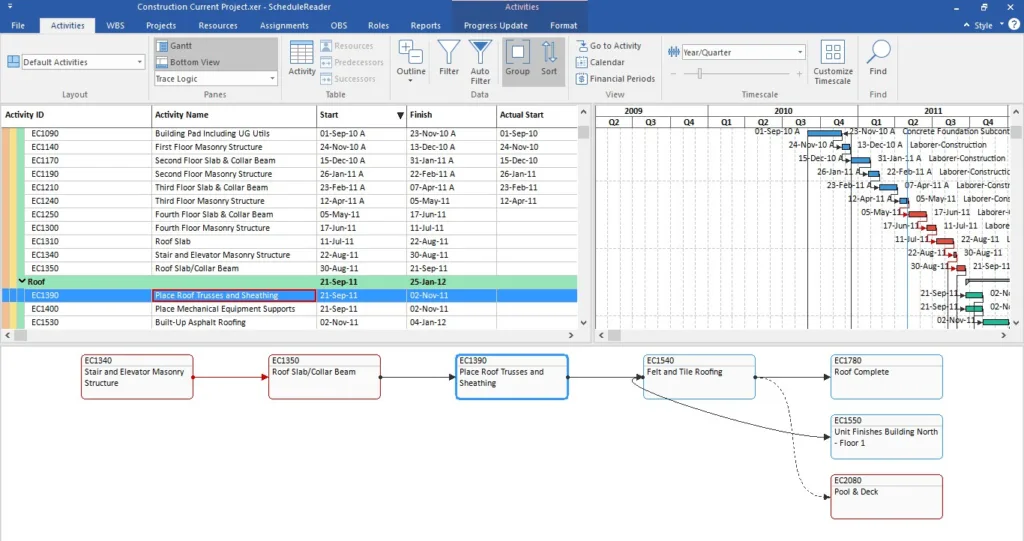
Get a full overview of project data through Activities, WBS, Projects, and other Views. Create personalized layouts, add/remove columns and see relationships inside an elaborate Gantt chart and tabular view.
Quick Access to Information
Easily handle plans with hundreds of activities by creating Filters, Sorts and Groups that can apply single or multiple criteria to perfectly organize activities and focus on the important aspects of the project.
Two-way Collaboration
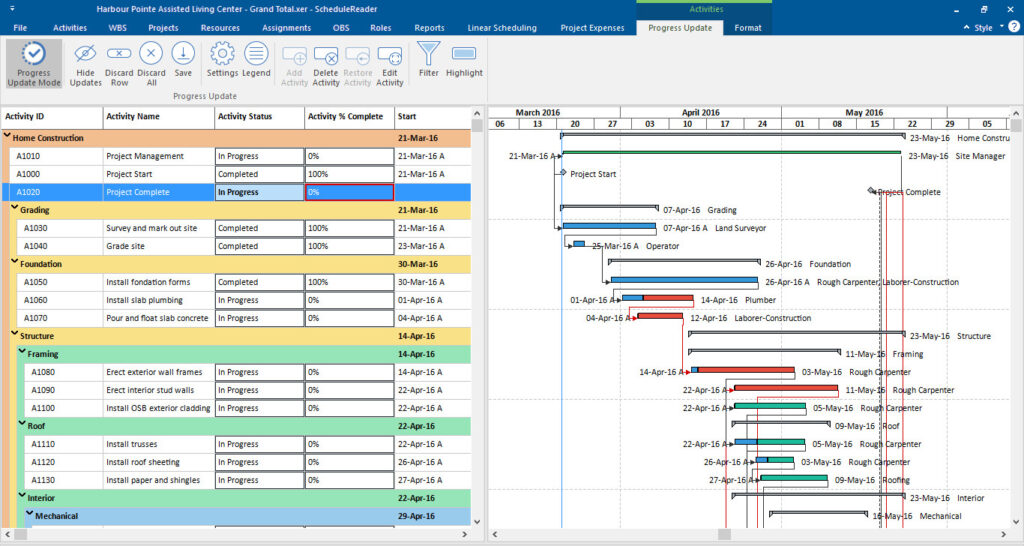
The Progress Update feature allows for two-way communication between team members in the office and on the field. Field personal can propose schedule updates back to schedulers who keep the schedule updated
Baseline Comparison
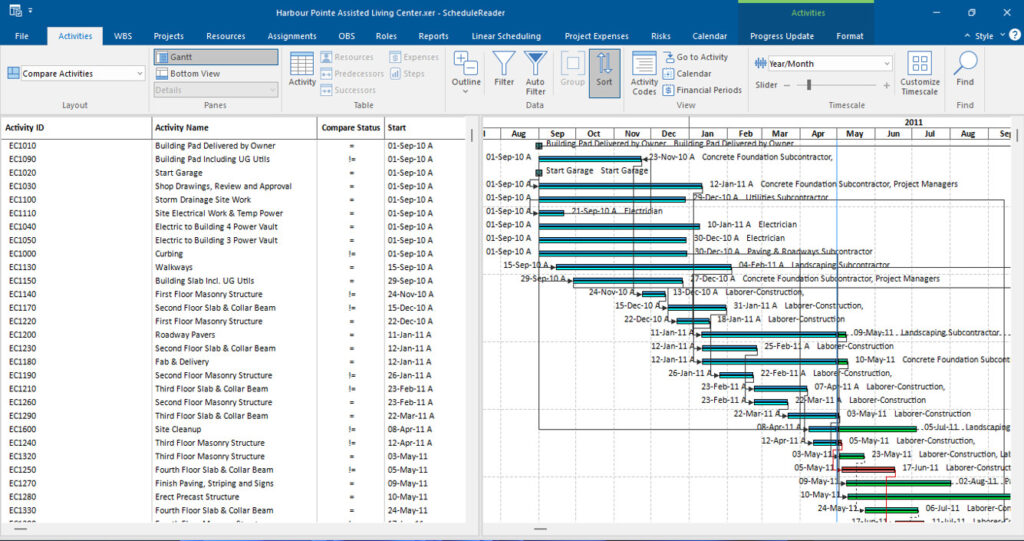
Import up to 4 Baselines and visually compare activities to see changes from previous project schedule state and determine project status.
Critical Path Analysis
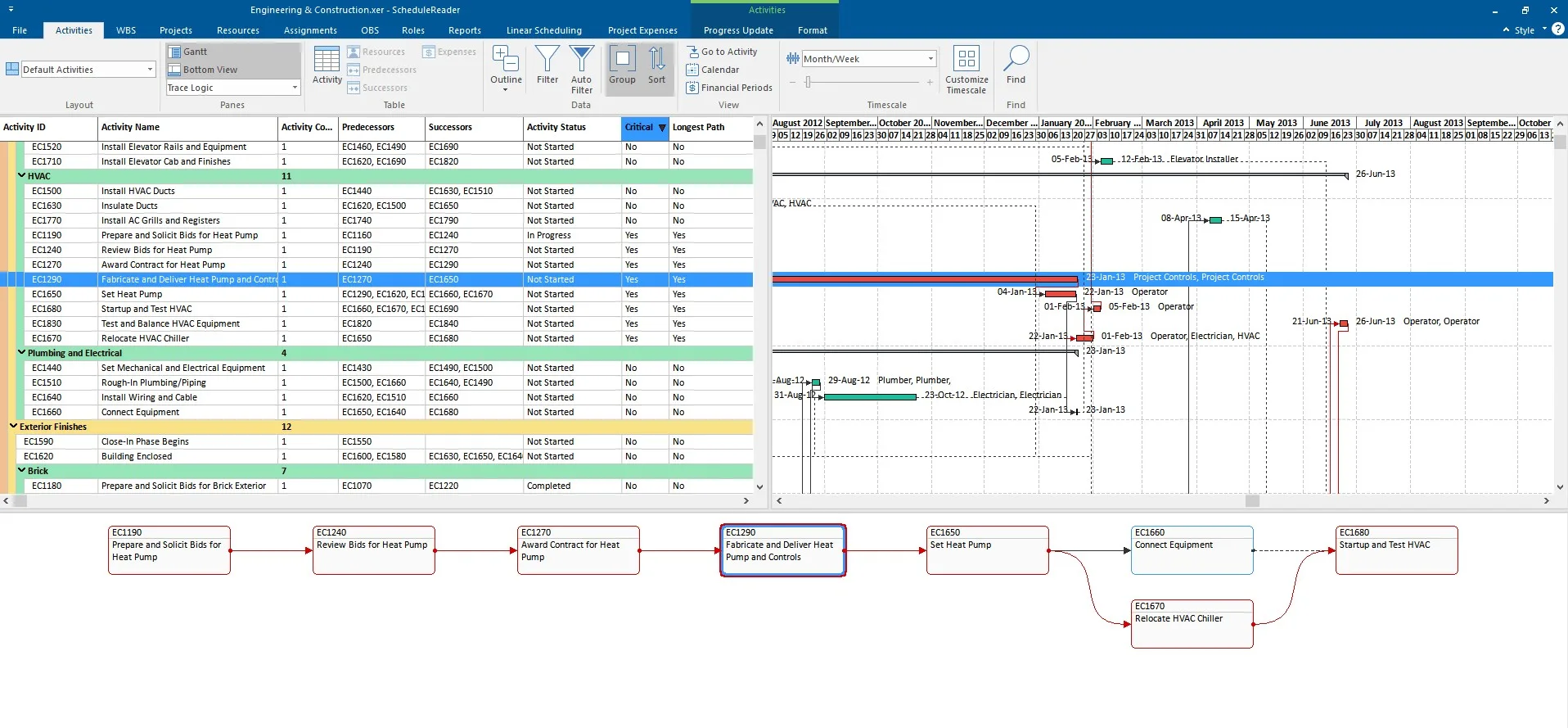
Visualize each predecessor and successor activities, driving activities and track critical paths of schedules by using Trace Logic view.
Familiar Working Environment
Create and share your personal layouts in .xml, as well as import custom layouts in a .plf file to work in a standardized environment
Interactive Schedule Overview
Get a full overview of your Primavera project data through dynamic views. Create personalized layouts, add or remove columns, and visualize relationships inside an elaborate Gantt chart. Plot data using histograms, stacked histograms, and S-curves to better understand trends, workload distribution, and project performance.
Easily track the critical path of your schedule. Navigate between driving activities and use the Trace Logic to visualize predecessor, successors, and understand dependencies without altering the original P6 file.
Progress Update: Two-way Collaboration
Bridge the gap between the office and the field. The Progress Update feature empowers on-site team members to propose activity status updates directly within ScheduleReader.
Schedulers receive these structured updates and can easily incorporate them back into Primavera P6, saving countless hours of manual data entry and email threading while maintaining strict control over the master schedule.
See how progress updates work →
Filtering, Analysis, Comparisons
Use auto, custom and advanced filtering, sorts and grouping for faster schedule review, analysis and easily focusing on the activities, resources, or project areas that matter most. Compare baselines to identify changes, delays, and progress differences between versions.
Compare Projects (PRO feature): Perform a side-by-side analysis of two project plan with the same Project ID. Quickly detect any variances, delays, or improvements across activities, duration, and costs.
Learn about the Compare Projects feature →
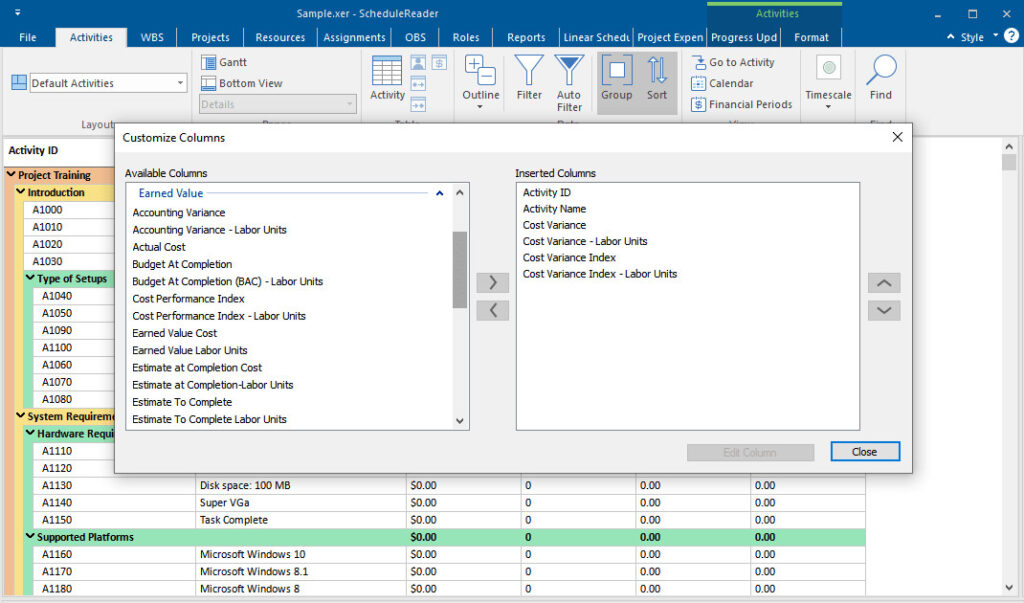
Earned Value Analysis
The earned value analysis provides the insights that helps project controls and managers pro-actively manage the project progress.
With ScheduleReader’s earned value analysis feature you can view the EV parameters from your schedule data and efficiently measure project performance and progress.
Need more than Viewing capabilities?
The PRO version provides additional features for report generation, schedule quality and risk analysis, comparing project, time location charts for linear projects and a unique calendar view for field teams.

Engaged Teams, Efficient Projects
Provides Greater Control
Finish projects on time and on budget with no miscommunication delays.
Saves Time & Resources
Go paperless and share files as XER or XML without constantly formatting and exporting plans to PDF.
Helps You Stay Updated
Have a simple way to receive proposed updates while maintaining full control over project schedules.
Project Members on Site
Challenge: Field teams rarely have costly P6 licenses, isolating them from direct task tracking and updates.
Solution: Provides an affordable, view-only channel for site teams to track assignments and submit progress updates.
Project Managers
Challenge: Managing schedules via static, outdated PDFs routinely causes communication bottlenecks and project delays.
Solution: Serves as an interactive companion tool, giving PMs dynamic views, baseline comparisons, and rich insights.
Schedulers & Planners
Challenge: Schedulers waste hours exporting custom PDFs for various stakeholders instead of planning.
Solution: Streamlines sharing by letting teams open files directly while allowing schedulers to quickly audit data quality.
Project Controls
Challenge: Keeping large projects on time and budget requires continuous tracking of deeply buried metrics.
Solution: Delivers clear visibility to measure real-time baseline progress and optimize internal workflows.
Ready to Get Started?
See how the world’s best schedulers deliver astonishing results for their businesses with ScheduleReader™.