

More Than Just XER Reader, Meet ScheduleReader PRO
ScheduleReader PRO gives project professionals’ complete visibility into Primavera P6 XER schedules, with advanced functionality for schedule analysis, reporting, and sharing project insights.
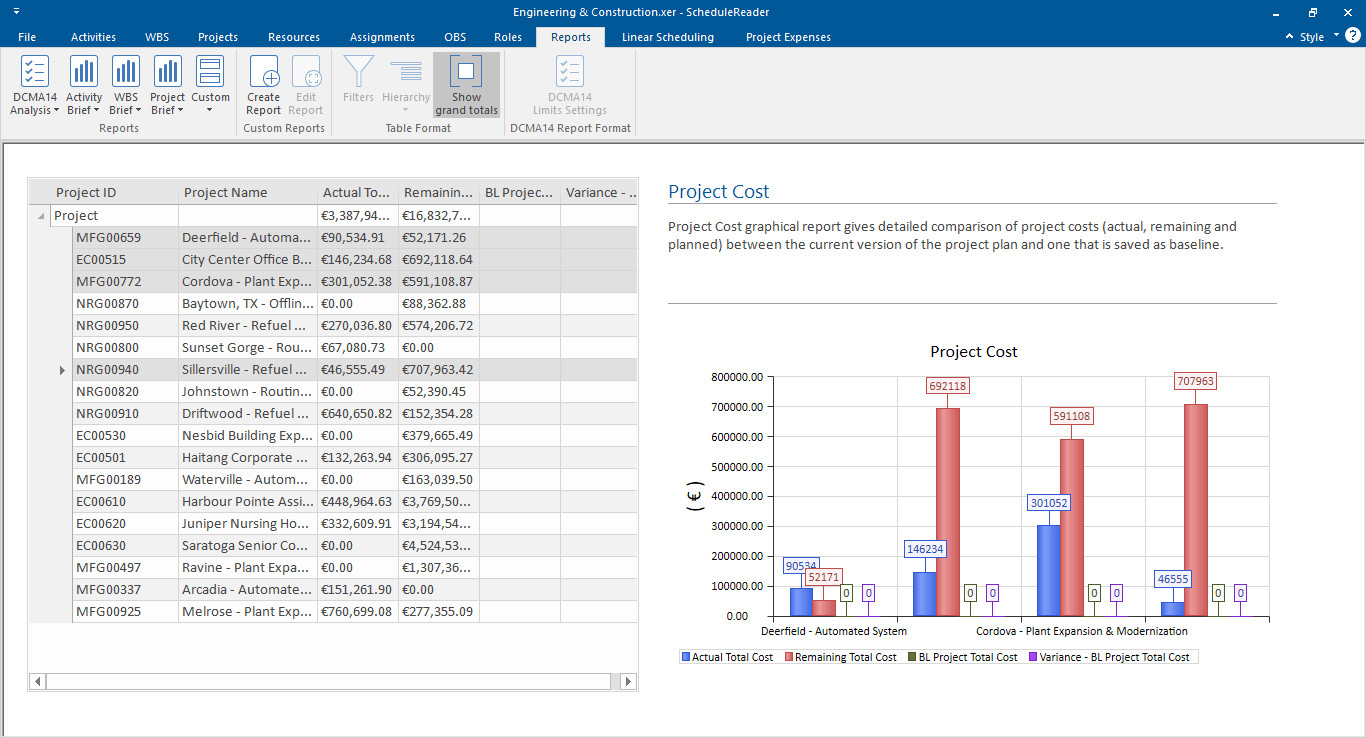
From Schedule Data to Project Insight
ScheduleReader PRO is equipped with additional features for dynamic reports generation, DCMA 14 schedule analysis, project comparisons, and unique risk, linear scheduling and calendar views.
Project controls, managers and teams can easily:
Try ScheduleReader Free for 15 Days
Experience the full power of ScheduleReader with a no-obligation, 15-day free trial. Instantly view, analyze, and share Primavera P6 XER files. PRO features included.
Dynamic Reports and Dashboards Including DCMA 14 Schedule Health Assessment PRO
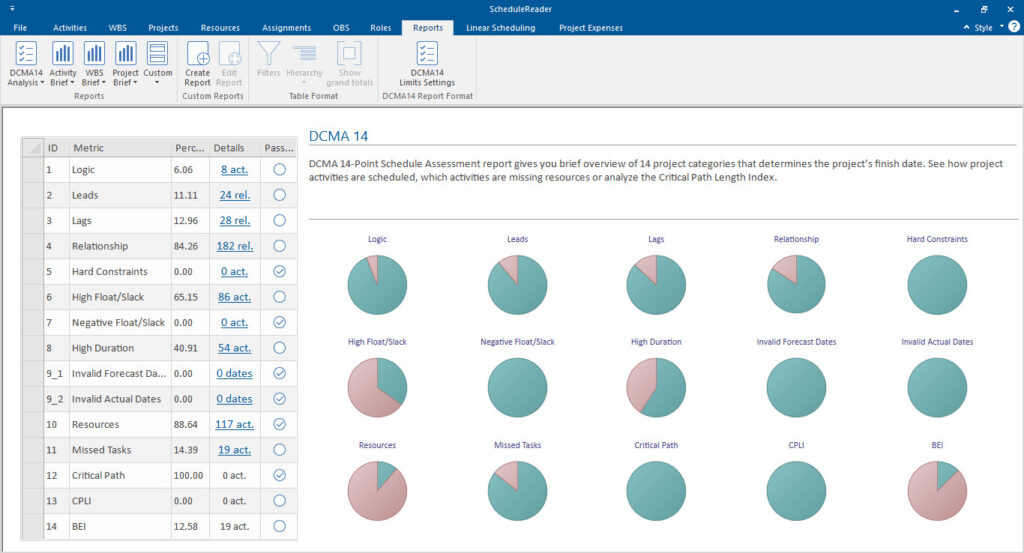
Summarize key project information in clear, easy to understand visuals using the dynamic reports and dashboards.
ScheduleReader PRO also includes the built-in DCMA 14-point assessment, allowing you to instantly audit the quality of your project schedules.
Now you can quickly identify missing logic, excessive leads/lags, or hard constraints that could jeopardize your project’s success, all presented in a clean, visual dashboard format.
View details for the reports and dashboards →
Calendar View for Field Teams PRO
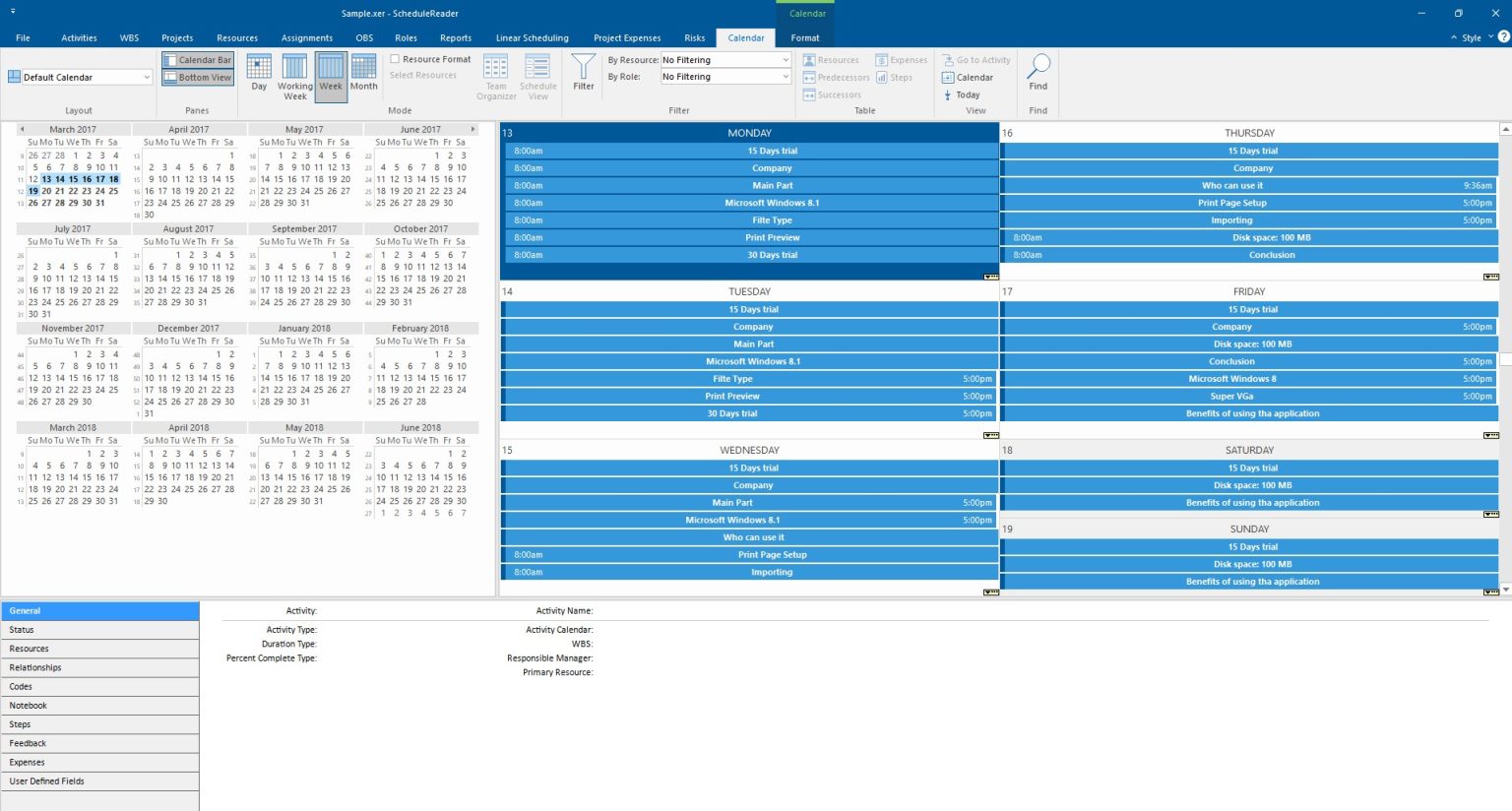
While schedulers love Gantt charts, field engineers and foremen often prefer the simplicity of a calendar. The Calendar View provides an intuitive view of project data organized by days, weeks, or months.
This view is ideal for daily planning and on-site coordination, ensuring everyone knows exactly what activities are scheduled for the coming shift without needing to navigate complex timelines.
See calendar layout features →
Risks View PRO
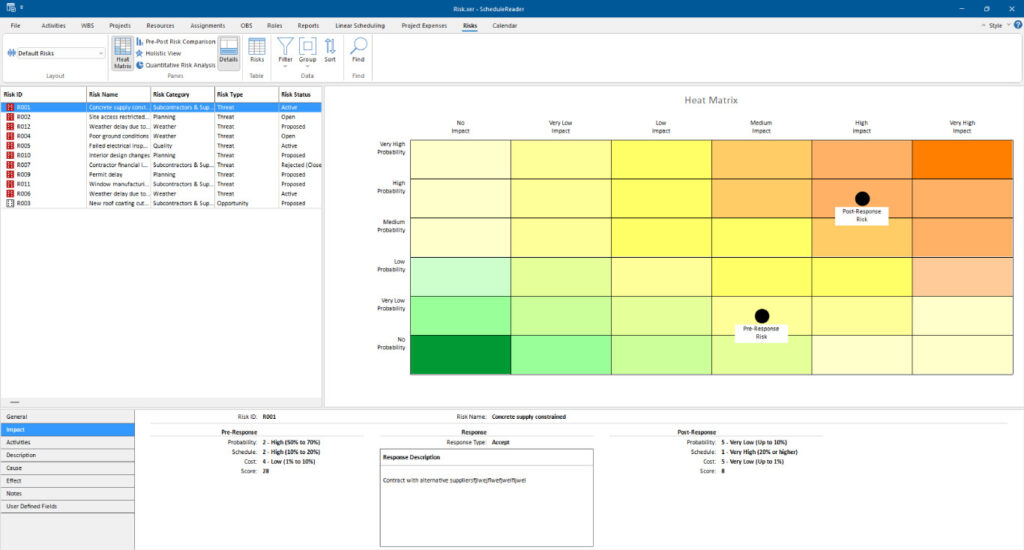
View detailed information about risks (and opportunities) assigned to the project, including risk name, impact, probability, and response strategies embedded in XER project plans.
The Risks view features built-in dashboards and charts that help with quantitative and qualitative risk analysis, including Heat Matrix, Pre-Post Comparison, Holistic View, Pie charts.
Dive into risk analysis charts →
Linear Scheduling View PRO
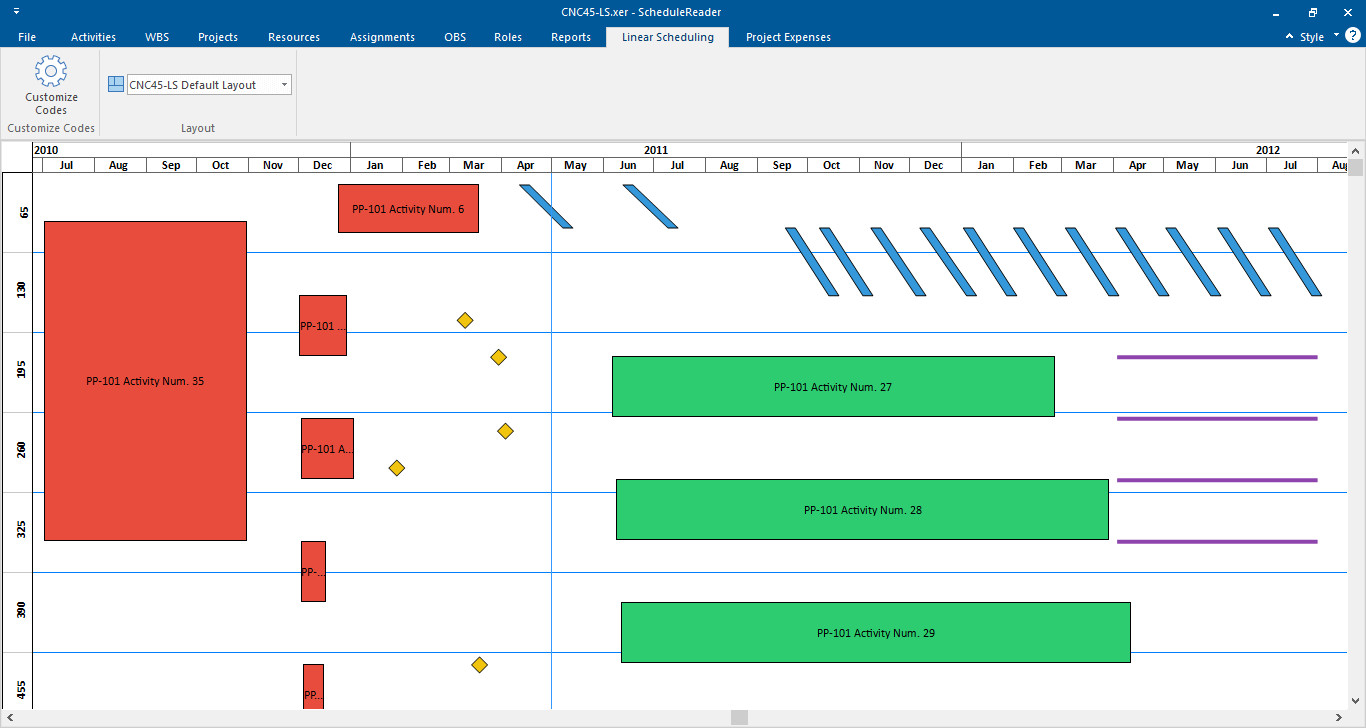
For infrastructure, rail, or pipeline projects, ScheduleReader PRO displays project data with Time-Location charts, providing a new context to the schedule timeline.
Activities are presented along a time/distance axis, in a single one-page view with geometrical shapes in different colors showing the occupation of the work site over time, such that conflicting access can be detected visually.
Explore time-location charts →
Compare Projects PRO
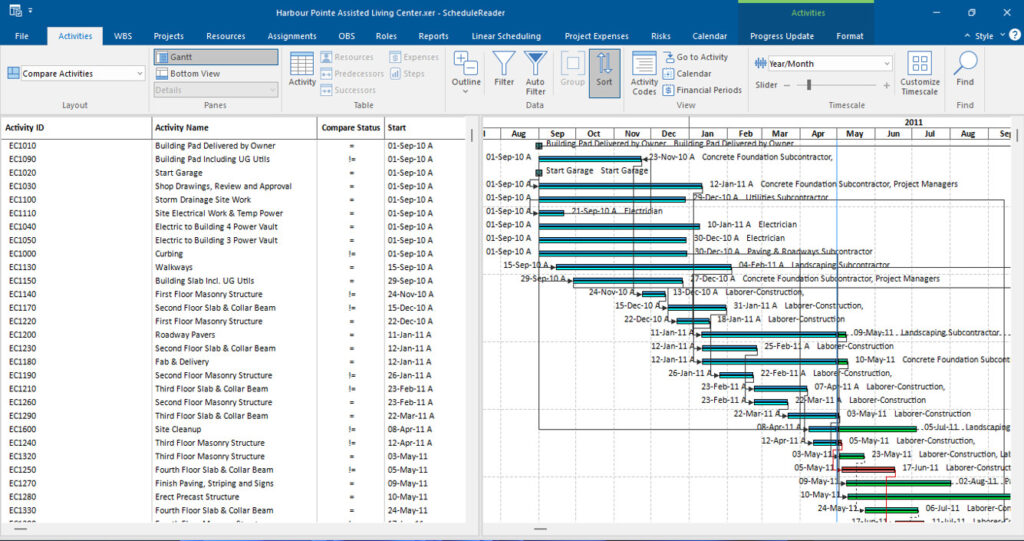
Perform a side-by-side analysis of two project plan with the same Project ID. Quickly detect any variances, delays, or improvements across activities, duration, and costs.
Learn about the Compare Projects feature →
ScheduleReader PRO Feature Overview
ScheduleReader offers practical features that help project professionals in their everyday work. Take a look at our summary of the different key features available in the Standard versus the PRO version.
Supporting Your Broader Project Team
ScheduleReader is applicable to all project-oriented organizations, and projects from all sizes and scales.
Project Members on Site
Challenge: Field teams rarely have costly P6 licenses, isolating them from direct task tracking and updates.
Solution: Provides an affordable, view-only channel for site teams to track assignments and submit progress updates.
Project Managers
Challenge: Managing schedules via static, outdated PDFs routinely causes communication bottlenecks and project delays.
Solution: Serves as an interactive companion tool, giving PMs dynamic views, baseline comparisons, and rich insights.
Schedulers & Planners
Challenge: Schedulers waste hours exporting custom PDFs for various stakeholders instead of planning.
Solution: Streamlines sharing by letting teams open files directly while allowing schedulers to quickly audit data quality.
Project Controls
Challenge: Keeping large projects on time and budget requires continuous tracking of deeply buried metrics.
Solution: Delivers clear visibility to measure real-time baseline progress and optimize internal workflows.










Ready to Get Started?
See how the world’s best schedulers deliver astonishing results for their businesses with ScheduleReader™.