

ScheduleReader Software for Project Controls
In order to exercise project control, it is first necessary to become aware of the project state, its elements and relations. This is where ScheduleReader comes in, allowing you to track project progress and analyze cost and schedule performance.
What you get
Be Aware of Project Costs and Schedule
Interactive Schedule Overview
Get a complete overview of different project elements on Gantt chart or table through the native views for Activities, WBS, Resources, Projects (EPS), Expenses and more.
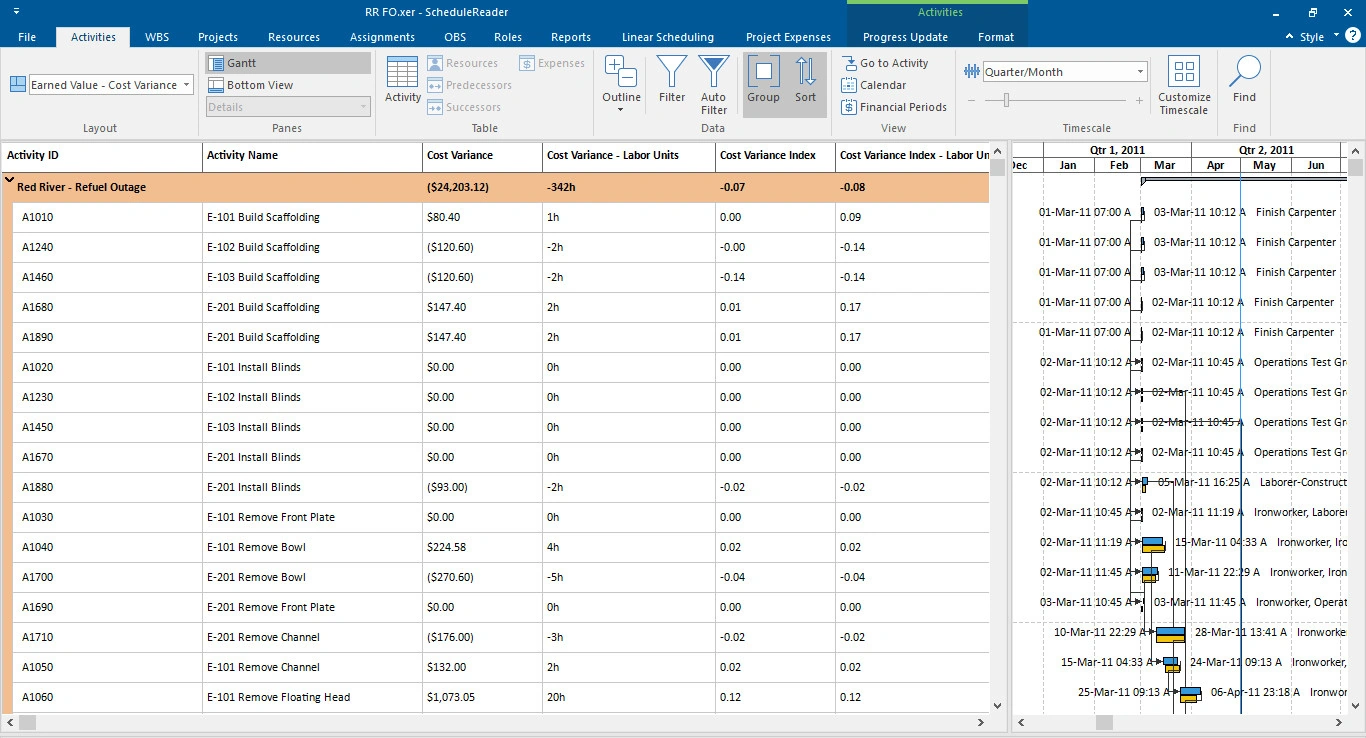
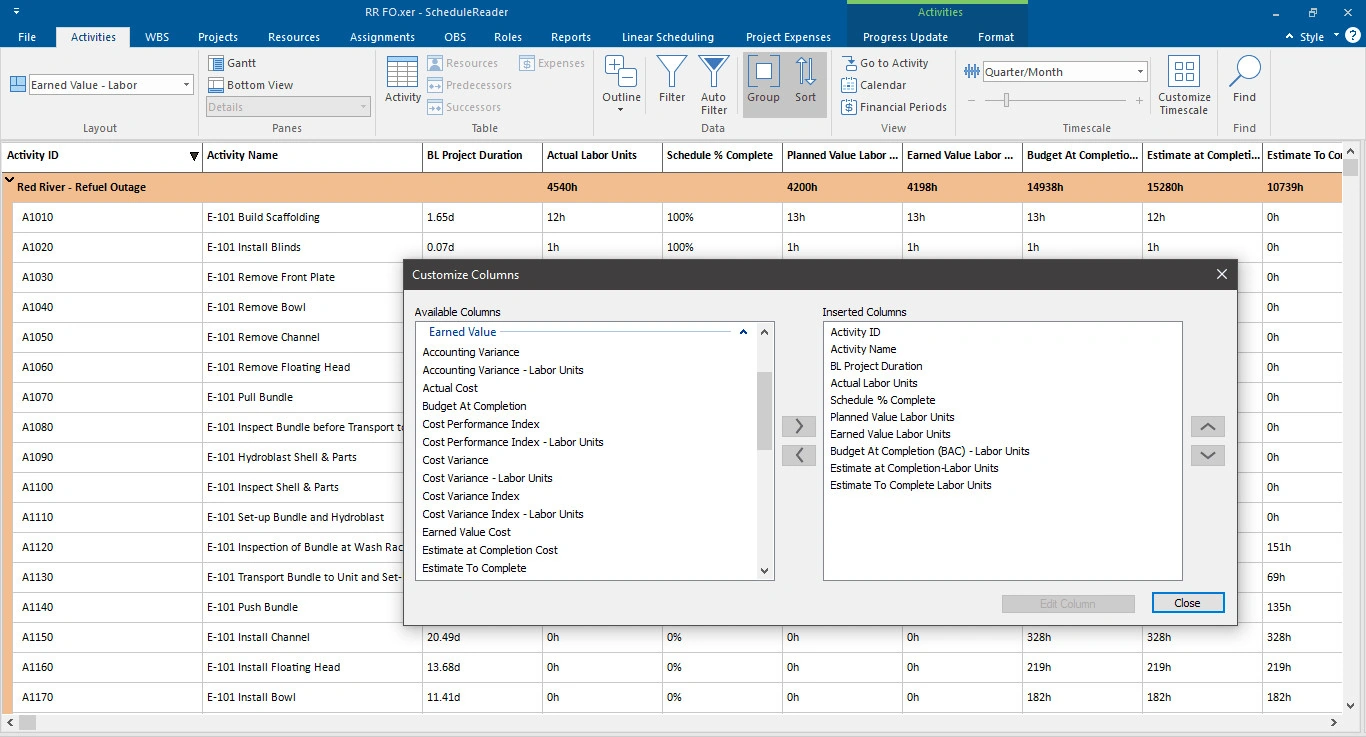
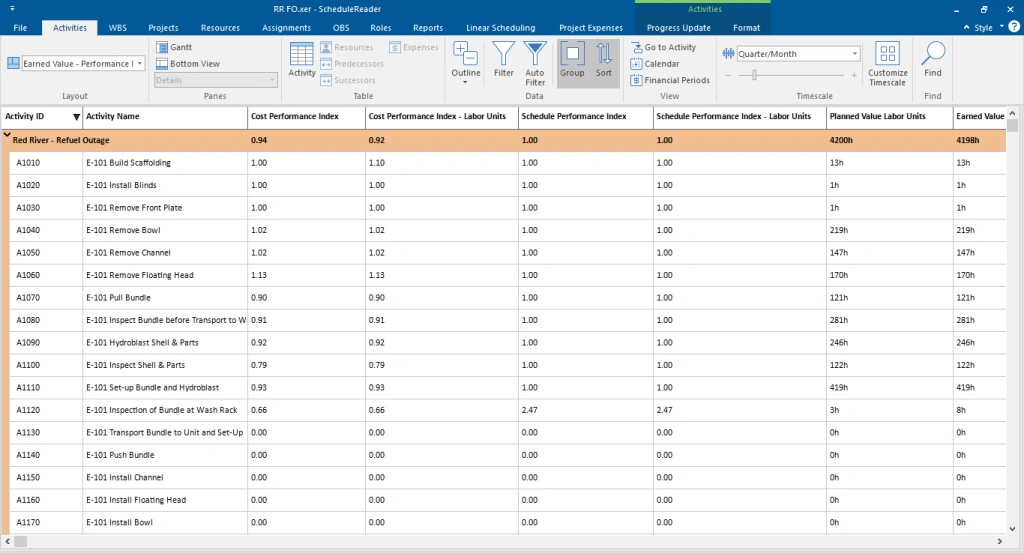
Earned Value Analysis
Identify costs and schedule deviations and understand the project performance in terms of scope, budget and time, to date.
Baseline Comparison
Visually compare activities on the Gantt chart by importing up to 4 baselines to analyze project status and identify changes from the previous schedule state.
S-Curves, Histograms and Stacked Histograms
Analyze the resource allocation in the project plan through s-curves, histograms and stack histograms.



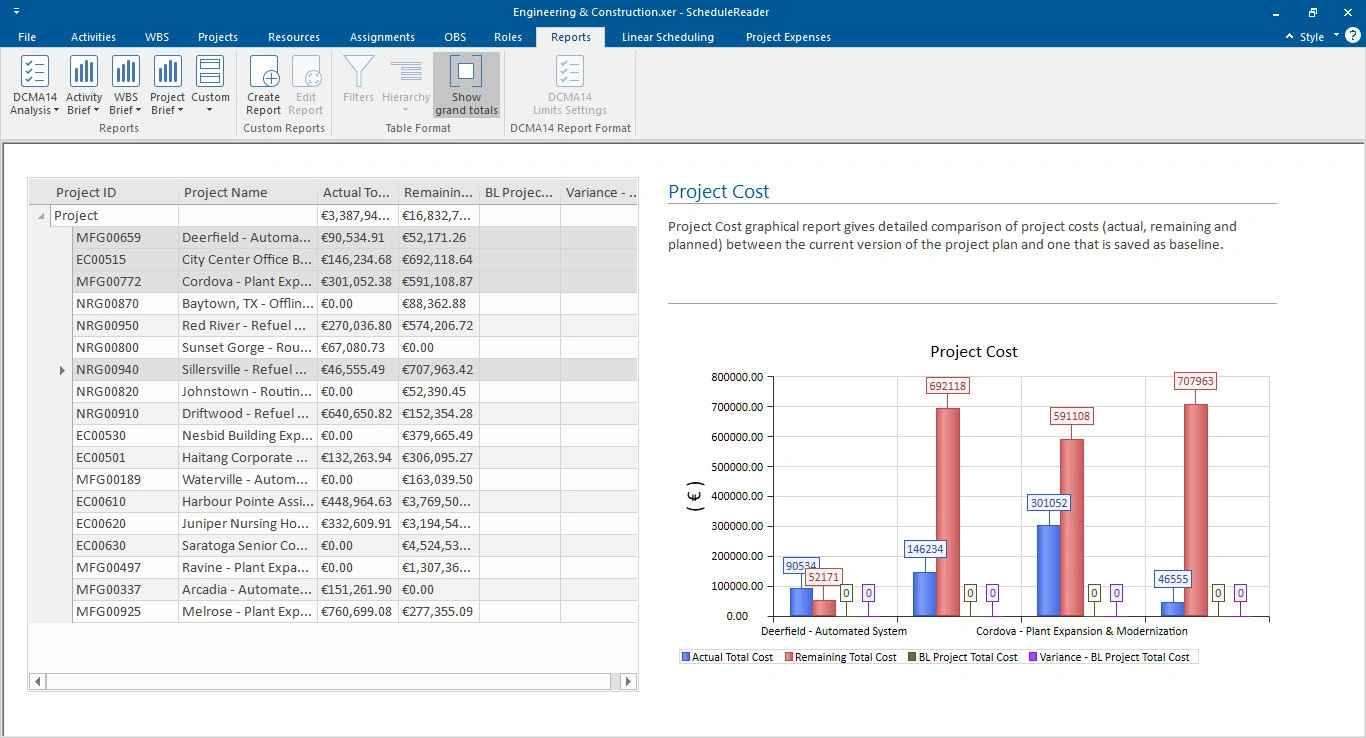
Reporting
Analyze and Present Key Project Data with Dynamic Graphical Reports
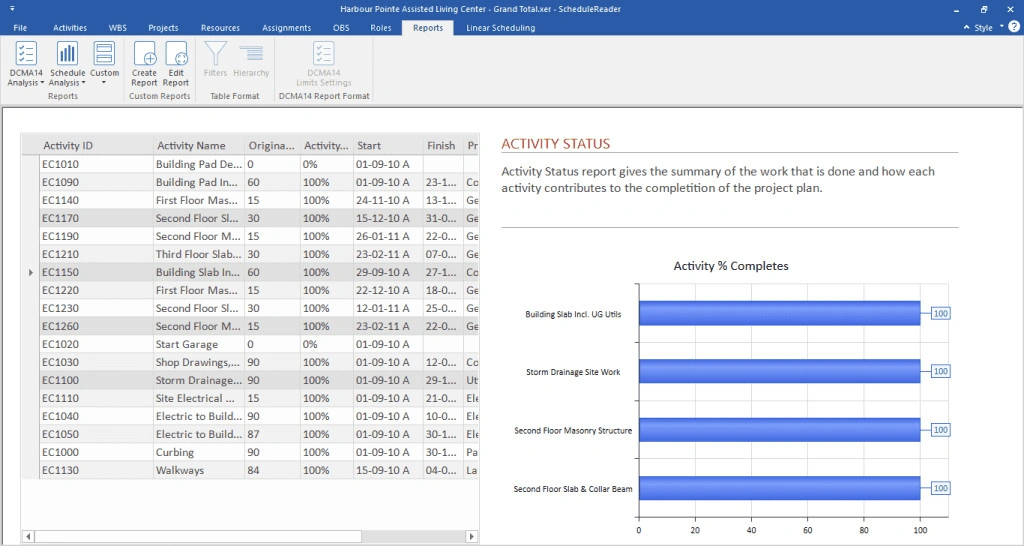
Dynamic Graphical Reports Pro
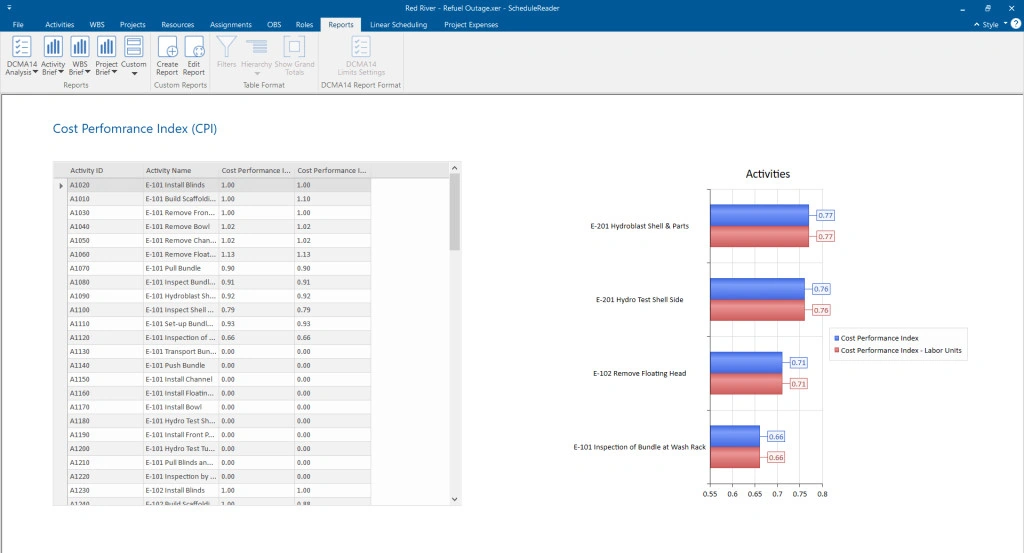
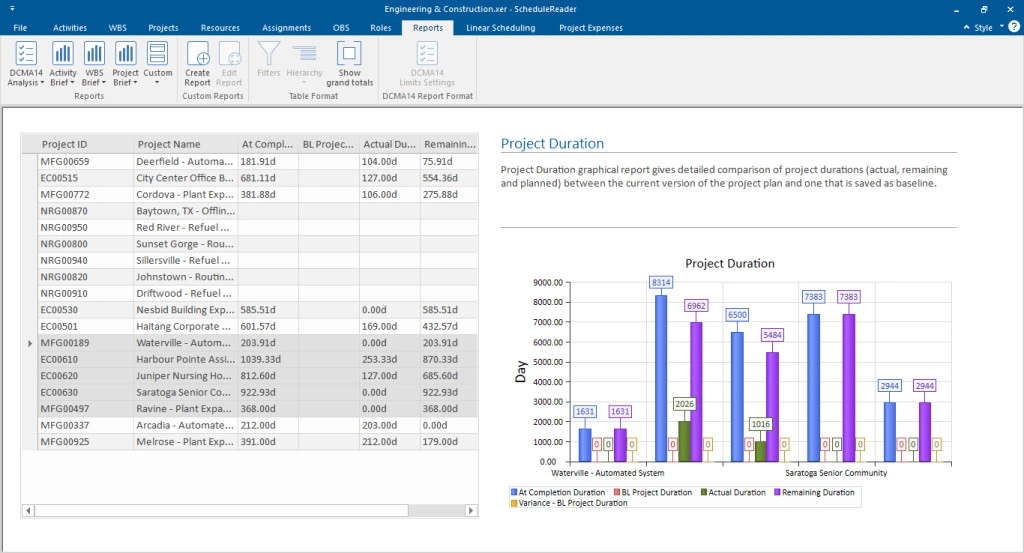
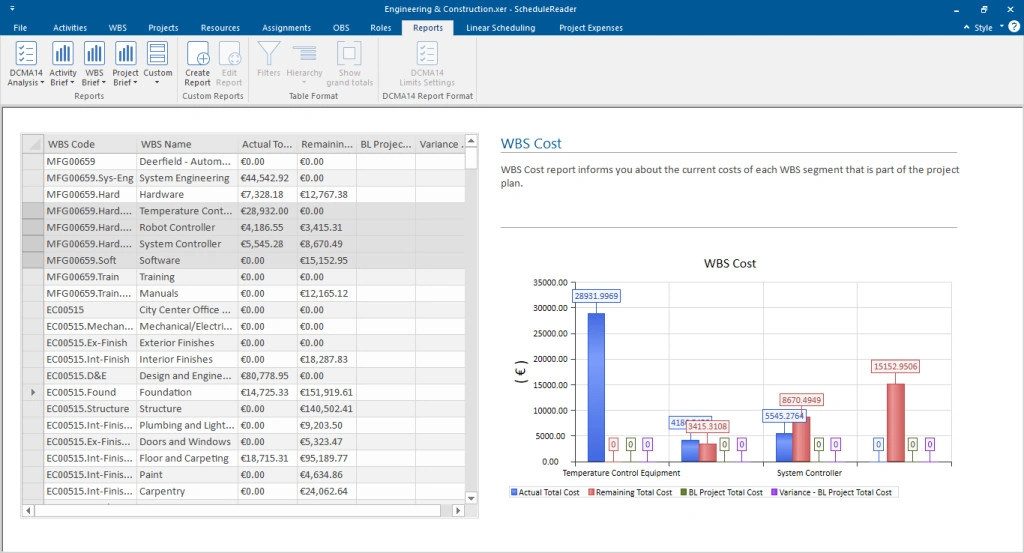
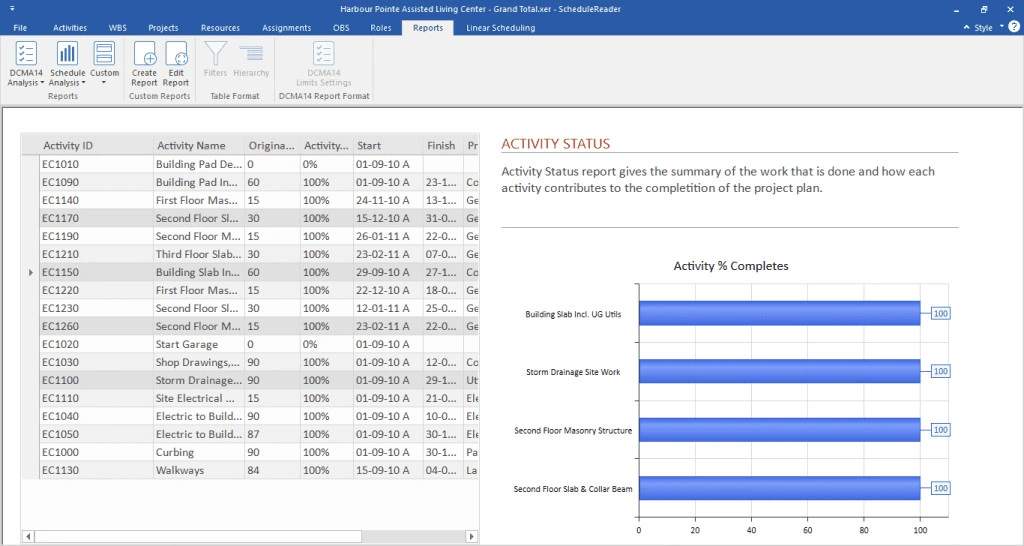
The Pro version of ScheduleReader allows you to create dynamic graphical reports that clearly visualize key project elements and can assist with analysis and decision making.
- Keep stakeholders informed of project status
- Analyze and compare project data
- Support your project decisions
Why not PDFs
Why Choose ScheduleReader over PDF Files
Quickly Access and Analyze Schedule Data
Work with XER and XML files without connecting to a database and open any large project file in an instant. Quickly access any information through filters, create your custom layouts and organize data with sorts and groups, by one or multiple criteria.
Detect Delays and Cost Overruns Early On
Keep the project on schedule and avoid scope creep by tracking the critical path and driving activities to key milestones. Monitor budget spend, measure performance through earned value analysis or graphical reports which you can share with stakeholders.
Schedule Data at Your Fingertips
Navigate to Project Success
Analyzing project progress, performance and different elements of the schedule will allow you to take timely actions and ensure projects are done on time and within budget.
Improve Communication and Workflows
As an alternative to viewing schedules in PDF, ScheduleReader improves coordination between teams and helps them to stay informed of the project plan, progress and their tasks.
Go deeper
Related Capabilities and Pages
- Earned value analysis
Cost and schedule deviations in one view.
- Dynamic reports and dashboards
Graphical reports that support decisions.
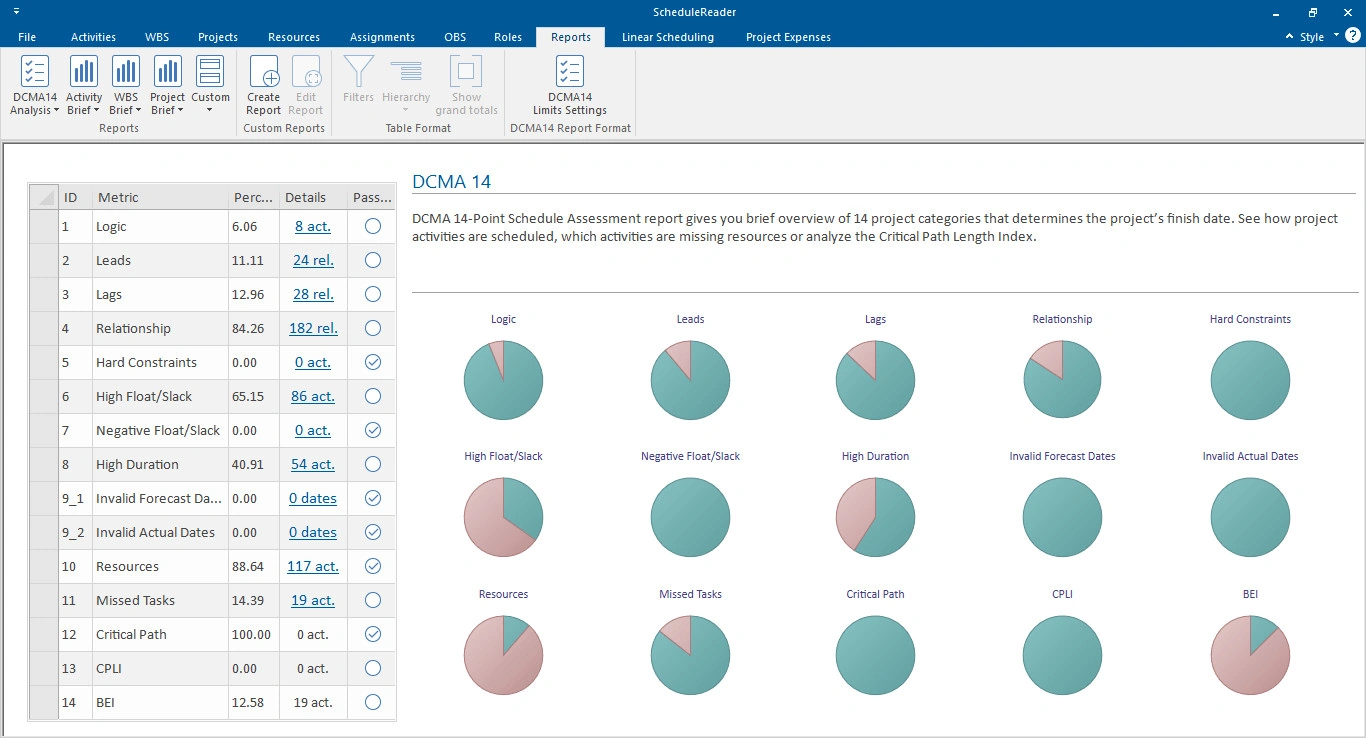
- DCMA 14-point assessment
Schedule quality and health in one dashboard.
- Compare projects
See what moved between revisions.
- Interactive schedule overview
The base views a control review needs.
- For project managers
Interactive schedules for the people running the project.
- For schedulers and planners
Share the plan without exporting a PDF per stakeholder.
- For site teams
Read-only access and progress updates from the field.
- Industries
How different industries use ScheduleReader.
FAQ
Frequently Asked Questions
Do Project Controls Need a Primavera P6 License?
No. ScheduleReader is a read-only viewer for .xer and P6 XML exports, so project controls teams can analyze cost and schedule data without a P6 license.
Is Earned Value Analysis Included in Every Edition?
Earned value analysis is part of ScheduleReader PRO, from $440 per user per year. The Standard edition is $344 per user per year, and both include a 1-year SMA.
Can I Compare Baselines?
Yes. You can import up to four baselines and compare activities visually on the Gantt chart to identify changes from the previous schedule state.
What Can I Report On?
ScheduleReader PRO builds dynamic graphical reports for cost, schedule and schedule quality, and they can be shared with stakeholders or exported.
Get started
Ready to Get Started?
See how the world's best schedulers deliver astonishing results for their businesses with ScheduleReader.