

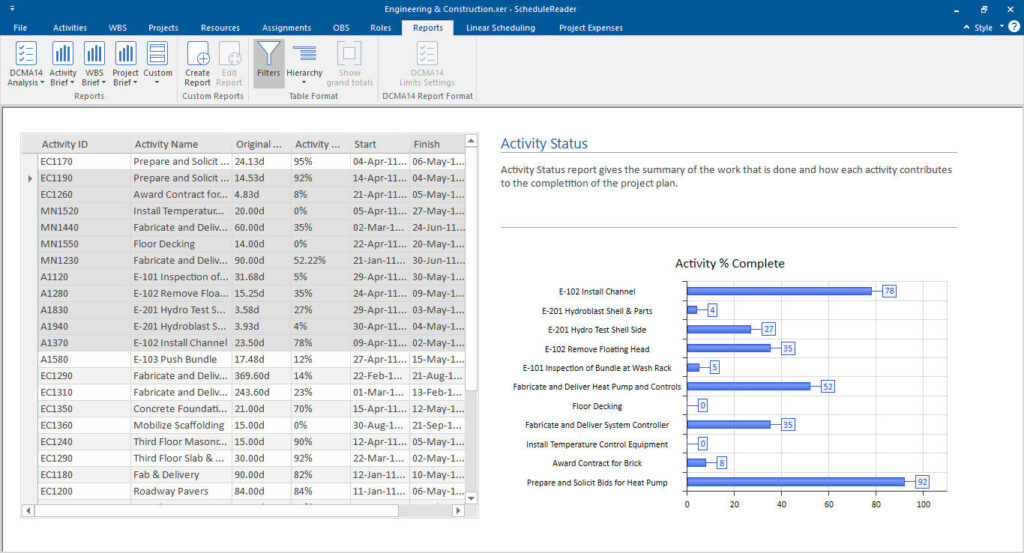
Activity status is one of the most used reports and it presents the status for all activities in the project and their contribution to the project completion.
Users can apply the “Filter” functionality for specifying activity’s aspect, and even present the project hierarchy in the status report.
The look of the Activity Status report is presented in the image below.
To generate the predefined Activity Metrics Report for your project, select the Reports View, and choose Constraint Types Report from the DCMA 14 group of Reports.